
Filing a damage claim on Turo can feel overwhelming, especially the first time. Between documenting the damage, navigating protection plans, and dealing with unresponsive guests, many hosts leave money on the table simply because the process is confusing.
This guide walks you through the entire process from discovery to recovery, drawing on real patterns from hundreds of fleet operators. You'll find the exact message templates, protection plan strategies, and filing steps that experienced hosts use.
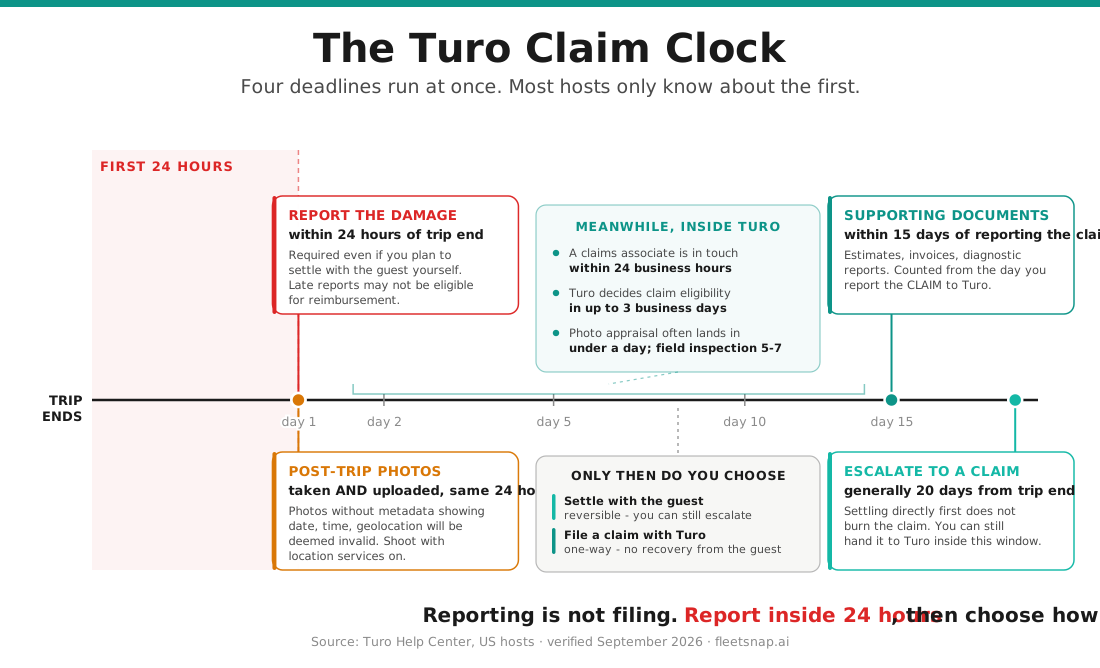
Three clocks run at once, and hosts lose claims to the second and third as often as the first:
- Report the damage within 24 hours of trip end. Turo's words: "Hosts must report damage no more than 24 hours after the trip ends to start the resolution process." Reports after that "may not be eligible for reimbursement under your selected earnings plan."
- Photos: taken and uploaded inside the window. Pre-trip photos must be taken no more than 24 hours before trip start and uploaded no more than 24 hours after it. Post-trip photos must be taken and uploaded within 24 hours of trip end. Turo waives the post-trip requirement for mechanical damage, or if the car was towed or otherwise not in your possession.
- Supporting documents within 15 days of reporting the claim. Turo's words: "you must submit all relevant documentation to Turo within 15 days of reporting the claim to Turo." Everything else -- estimates, invoices, diagnostic reports -- runs on that window, which is separate from the two 24-hour clocks above.
Reporting is not filing — and the difference is money
Only the report is on the 24-hour clock. When you report, Turo asks for a repair estimate, shows you two numbers — what you would get settling with the guest, and what you would get filing a claim — and asks you to choose.
Settling with the guest is reversible. You generally have 20 days from trip end to escalate into a Turo claim, and longer if you can show you have been actively working with the guest's own insurer.
Filing with Turo is one-way. Turo does not refund your damage responsibility on a claim it handles, and its terms are explicit that hosts "may not seek additional recovery on a claim submitted to Turo for handling, from the guest or other sources."
So file with Turo when the damage clearly exceeds your damage responsibility. Settle with the guest when it does not.
Your First Claim Win Starts with Photos
See how documenting damage and generating an estimate works in practice.
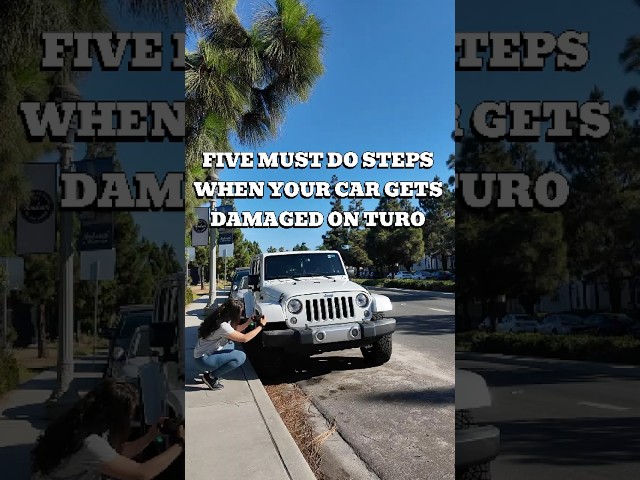
Step 1: Document the Damage and Open the Claim
Time is critical. As soon as you notice damage:
- Take photos from multiple angles -- wide shots showing the damage location on the vehicle, and close-ups showing the detail
- Photograph the entire vehicle -- this establishes that only the reported area is damaged
- Report it in Turo right away -- open the claim immediately (within the 24-hour window). This protects your timeline and keeps every option open; you'll still pursue direct resolution next, which settles the vast majority of cases.
- Note the date and time -- Turo's claim window starts at trip end, not damage discovery
- Check your pre-trip photos -- compare against your before photos to confirm the damage is new
The single biggest mistake hosts make is waiting too long to document and report. Evidence quality degrades with time, and your pre-trip photos become your strongest asset.
Step 2: Check the Guest's Protection Plan
Before deciding your claim strategy, check which protection plan the guest selected. This determines your entire resolution path.
The Guest's Protection Plan (Premier, Standard, Minimum, Declined)
| Plan | Guest Liability | Your Strategy |
|---|---|---|
| Premier | $0 out of pocket | The guest owes nothing for physical damage. That is the guest's side, not your recovery -- you still carry your own earnings-plan damage responsibility ($250, $1,500 or $2,750) and Turo reimburses above it. Not available to guests aged 18-20, or on vehicles over $60,000 market value. |
| Standard | Capped at $500 | The guest is charged a $500 damage deposit when damage is reported, refunded in part if final costs come in lower. |
| Minimum | Capped at $3,000 | Deposit is $500, or $3,000 if the car is non-drivable. For damage under $3K, direct resolution with the guest is often faster than filing. |
| Declined | Unlimited | The guest is legally liable for repairs, or the car's full actual cash value if repairs exceed 75% of it. Contact them directly first, then file with their personal auto insurance if they refuse. |
Your Earnings Plan -- the number that decides what you get back
| Your plan | Host share | Your damage responsibility |
|---|---|---|
| More peace of mind | 70% of trip price | $250 per claim |
| Balanced | 80% of trip price | $1,500 per claim |
| More earnings | 90% of trip price | $2,750 per claim |
Turo renamed host "protection plans" to earnings plans and "deductible" to damage responsibility in 2026; the three plans above are the ones available for trips booked from January 7, 2026. Your damage responsibility comes off the top of every eligible claim, and Turo reimburses above it -- up to the lesser of the car's actual cash value or $200,000.
Two things surprise hosts here. First, your plan and the guest's plan are unrelated. Turo's terms say so directly: what you recover is governed by your earnings plan regardless of what Turo collects from the guest. Second, damage responsibility now applies to everything -- exterior, interior, glass, tires, and mechanical damage alike -- not just collision.
Three exclusions are worth memorizing, because they are the most common denial reasons that have nothing to do with paperwork: exterior dings and scratches 3 inches or smaller are wear and tear on every plan (and separate small marks do not add up to a claimable one); mechanical failure is not covered unless a guest clearly caused it, and proving that takes a signed diagnostic report on shop letterhead, not an estimate; and tires are excluded if they were 6 or more years old or under 4/32" of tread before the trip.
Step 3: Get a Repair Estimate
A professional repair estimate strengthens your claim significantly:
- Get at least one estimate from a licensed body shop
- Request an itemized estimate showing parts, labor, and paint separately
- Make sure the estimate includes the shop's business information and license number
- If possible, get estimates from two different shops for comparison
AI-powered tools can generate preliminary repair estimates instantly from your damage photos, which is useful for setting expectations before visiting a shop.
Step 4: Resolve Directly with the Guest
Guest communication is where most damage claims succeed or fail. A hostile message pushes the guest into denial mode. A professional one often leads to direct payment without involving Turo at all -- in practice, the vast majority of claims (around 99%) resolve directly with the guest.
Here's the proven 4-stage sequence that experienced hosts use:
Stage 1: Initial Contact
Send within 6 hours of discovering damage
Hi [Guest Name],

We noticed some damage during our post-trip inspection.

We're currently getting an estimate and will follow up shortly. We'd like to resolve this professionally and as simply as possible.

Thank you for your understanding.

Best regards,
[Your Name]
Stage 2: Damage Documentation
Follow up within 24 hours with evidence and estimate
Hi [Guest Name],

Thank you for your patience. We've completed our inspection and obtained a repair estimate for the damage that occurred during your trip.

Attached you'll find:
- Before/after photos showing the damage
- Professional repair estimate from [Shop Name]

The total repair cost is $[Amount]. We'd appreciate payment within 48 hours to avoid any delays.

Payment options:
- Zelle: [Your Zelle Info]
- Venmo: [Your Venmo]
- PayPal: [Your PayPal]

Please let me know if you have any questions.

Best regards,
[Your Name]
Stage 3: Follow-Up Reminder
If no response after 48 hours
Hi [Guest Name],

I wanted to follow up on my previous message regarding the damage repair estimate of $[Amount].

I understand life gets busy, but I wanted to make sure you received our documentation. We'd like to resolve this within the next 24 hours to keep things simple.

If you have any questions about the estimate or photos, please let me know. Otherwise, payment via any of the methods I mentioned would be greatly appreciated.

Best regards,
[Your Name]
Step 5: Escalate to Turo if Direct Resolution Fails
Direct resolution settles the vast majority of claims, but some guests stop responding or refuse to pay. Because you opened the claim back in Step 1, your timeline is already protected -- now you escalate.
Rule of thumb: Turo generally gives you 20 days after the trip ends to escalate a direct resolution into a claim. Escalate by day 14 so you are never racing the deadline. The only exception Turo allows is if you can show you have been actively working with the guest's personal insurer. Don't let a claim sit longer hoping the guest comes around.
Escalating through Turo's Resolution Center:
- Go to Your Trips and select the relevant trip
- Open the damage report you filed in Step 1
- Add your before and after photos
- Attach your repair estimate
- Write a clear, factual description
- Submit for Turo to adjudicate under the guest's protection plan
Filing with the Guest's Personal Insurance:
If the guest declined Turo protection or their deductible exceeds the damage cost, you can file with their personal auto insurance. This is a separate process with its own documentation requirements.
How Ashley Recovered $500 in 48 Hours
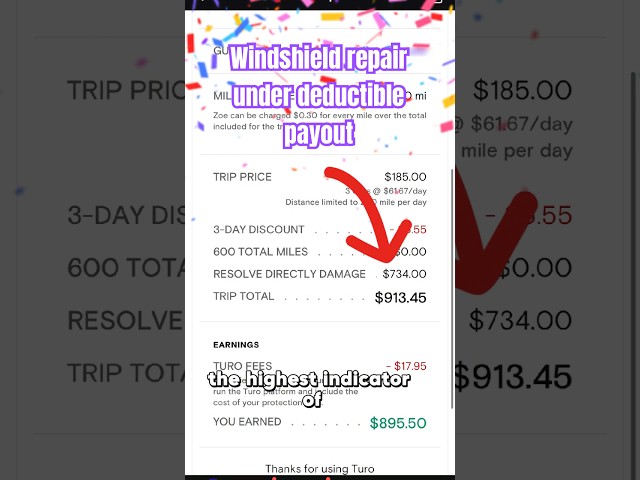
A real Turo host photographed the damage, sent a PDF estimate to the guest, and got $500 through Turo resolution in just 2 days.
Common Repair Costs
Knowing typical costs helps you evaluate whether a repair estimate is reasonable before filing.
Typical Turo Damage Repair Costs
| Damage Type | Cost Range | Notes |
|---|---|---|
| Minor scratch (under 6") | $150 - $350 | Touch-up paint for surface, respray for deeper |
| Small dent (no paint damage) | $100 - $250 | Paintless dent repair (PDR) |
| Dent with paint damage | $300 - $800 | Body work plus paint matching |
| Bumper scuff or crack | $500 - $1,500 | Replacement covers $500-$1K for parts alone |
| Windshield chip | $50 - $150 | Repair, not replacement |
| Windshield crack | $200 - $1,500 | $200-$400 standard, $800+ for Tesla/luxury |
| Interior stain (fabric) | $100 - $300 | Professional detailing |
| Wheel curb rash | $100 - $200/wheel | Cosmetic refinishing |
How to Prevent Claim Denials
The most common reasons for claim denial:
- Insufficient before photos -- always take comprehensive photos before every trip
- Missing the deadline -- report the damage within the 24-hour window
- Pre-existing damage -- anything in your before photos cannot be claimed
- Normal wear and tear -- Turo doesn't cover tire wear, minor interior scuffs
- Incomplete documentation -- include all evidence with your initial submission
Key Takeaways
- Document and report immediately -- open the claim in Turo within 24 hours of trip end
- Check the protection plan before choosing your strategy
- Get a professional estimate -- it's your strongest supporting evidence
- Resolve directly with the guest first -- it settles around 99% of claims
- Use the message templates -- professional communication leads to faster resolution
- Escalate to Turo's resolution center well before the 20-day deadline if direct resolution fails